

Octal to Binary Conversion Explained with Examples
Learn how to convert octal to binary with easy examples and clear steps 🧮. Understand number systems, avoid pitfalls, and apply it in digital work 📊.
Edited By
James Whitaker
To grasp how ASCII characters convert to binary, you first need to understand what ASCII itself represents. ASCII—short for American Standard Code for Information Interchange—is a character encoding system that assigns numerical codes to letters, numbers, and symbols. Each ASCII character corresponds to a unique 7-bit binary number, allowing computers to store and process text efficiently.
Binary code, on the other hand, is the language computers inherently understand, consisting only of 0s and 1s — the digital equivalent of on and off signals. When you convert ASCII to binary, you translate human-readable characters into machine-readable format.

For example, take the uppercase letter 'A'. Its ASCII value is 65, which translates into the binary code 1000001. This binary string is what computers read and manipulate internally.
Understanding ASCII to binary conversion is especially useful beyond just programming; it underpins fields like digital communications, encryption, data compression, and even trading software where data formats must be consistent across platforms.
Here’s a quick look at why this conversion holds practical value:
Data storage: Storing text in binary enables computers to save and retrieve human language efficiently.
Networking and communication: Exchange of character data over internet protocols uses ASCII binary codes.
Embedded systems: Devices like microcontrollers use binary-encoded ASCII to display or process text.
Financial software: Stock market platforms transmit trade instructions as binary data derived from ASCII commands.
Without this conversion, computers would struggle to process text correctly, affecting everything from typing on your mobile to executing complex algorithms in finance.
Manual conversion involves translating each ASCII character into its binary equivalent, usually by checking ASCII tables and performing decimal-to-binary calculations. However, many tools now automate this, saving time and reducing errors.
In the sections ahead, we’ll explore these methods in detail, review common challenges in ASCII to binary conversion, and highlight best practices to apply in real-world scenarios relevant to investors, students, and professionals alike.
Understanding how ASCII (American Standard Code for Information Interchange) represents characters is key to grasping the entire process of ASCII to binary conversion. ASCII forms the backbone of text encoding, enabling computers to interpret letters, numbers, and symbols as numerical values. This standardisation ensures consistent data representation across different systems.
ASCII was developed in the early 1960s to standardise communication between early computers and telecommunication equipment. It assigns numeric codes to characters, replacing earlier inconsistent methods. This clarity helped the burgeoning world of computing speak a common language, simplifying data exchange.
For example, the capital letter ‘A’ corresponds to the decimal value 65 in ASCII. This numeric representation is essential because computers work natively with numbers, not symbols.
The standard ASCII set includes 128 characters, comprising English alphabets (both uppercase and lowercase), digits 0–9, common punctuation, and control characters like line breaks. Each character is encoded using 7 bits, fitting well into an 8-bit byte with one bit unused.
This limited set is enough for basic English text but lacks characters needed for other languages, which led to extended versions.
To accommodate more symbols and foreign language characters, extended ASCII variants add an extra 128 codes (making 256 in total), utilising the full 8-bit byte. These include accented letters, drawing characters, and other symbols.
For example, the character 'é' in French can be represented under extended ASCII. However, these variations can cause inconsistencies between systems if the encoding isn’t clearly specified.
ASCII simplifies how computers handle text by assigning each symbol a numeric code that can be stored, transmitted, and processed digitally. When you type an email or browse a website, the characters you see are managed internally in this numeric form.
This uniform numeric representation makes tasks like sorting, searching, or data compression far more straightforward.
Thanks to ASCII’s standardisation, various computer systems and devices can exchange text without confusion. A document created on a Windows machine can be read on a Linux system without characters getting scrambled, provided both use compatible ASCII encoding.
ASCII’s widespread adoption made it easier for different hardware and software to communicate reliably, reducing errors in text transfer and processing.
In essence, ASCII's role is about ensuring everyone ‘speaks the same language’ in computing, especially crucial when converting text to binary codes and back.
Binary numbers form the backbone of digital technology. Without grasping how binary works, comprehending ASCII to binary conversion is tough. Binary represents information using only two digits: 0 and 1. Though this might sound simple, the combination of these digits can express any form of data, including text, images, and sound. For investors and professionals dealing with technology, understanding binary is essential to appreciate how devices read and process information at the lowest level.
Binary uses just two digits—0 and 1—known as bits. Each bit represents a power of two, similar to how decimal digits correspond to powers of ten. For instance, the binary number 1011 breaks down as:
1 × 2³ (8)
0 × 2² (0)
1 × 2¹ (2)
1 × 2⁰ (1)
Adding these gives 8 + 0 + 2 + 1 = 11 in decimal. Understanding this place value system is crucial when translating ASCII characters, assigned decimal values, into binary form.
Converting decimal to binary typically involves dividing the number by 2 repeatedly and noting remainders. For example, to convert decimal 13:
13 ÷ 2 = 6 remainder 1
6 ÷ 2 = 3 remainder 0
3 ÷ 2 = 1 remainder 1
1 ÷ 2 = 0 remainder 1
Reading remainders from bottom up gives 1101, the binary equivalent of 13. This method helps decode ASCII decimal codes into their binary counterparts, a key step in text data processing.

Digital devices communicate internally using binary because electronic circuits naturally interpret two states: on (1) and off (0). This simplicity improves reliability, reduces errors, and speeds up processing. When you type on a keyboard, each character is converted into a binary code that the computer hardware recognises and processes.
Machines don’t understand text or numbers in the way humans do; they work with binary signals to perform all tasks behind the scenes.
All data in computers—documents, images, videos—gets stored as sequences of binary digits. Storage devices like hard drives and flash memory store billions of 0s and 1s to represent complex files. Processors manipulate these bits to execute programs, turning user commands into actions. For example, an investor analysing trading algorithms should note that every algorithmic instruction is ultimately broken down into binary operations handled by the processor.
Understanding binary numbers sharpens your insight into how data moves through systems and why ASCII to binary conversion is more than theoretical—it's a practical tool in computing and digital communication.
Understanding how ASCII characters translate into binary codes is fundamental for anyone dealing with computing or digital communication. This process transforms readable text into sequences of 0s and 1s, enabling computers and electronic devices to process and store data effectively. In practical terms, this conversion supports everything from software development to networking, as machines rely on binary to interpret information.
ASCII codes are assigned numeric values, usually ranging from 0 to 127 in the standard set. Each character corresponds to a unique decimal number—for instance, the letter 'A' is 65, 'a' is 97, and '0' is 48. These decimal values are then converted into binary numbers, which computers can handle directly. For example, 'A' converts to 01000001 in binary. This straightforward mapping allows consistent representation and interpretation of characters across different digital systems.
This binary representation is crucial in applications like text encoding in files or sending messages over networks where preserving the exact character data matters. Computers do not understand letters or symbols; they understand numbers, specifically binary digits, making this mapping essential.
A key aspect of this mapping is fixed-length encoding. Each ASCII character is represented in an 8-bit binary structure (one byte), even if the decimal number could fit in fewer bits. For instance, the number 65 (for 'A') in binary is 1000001, but is stored as 01000001 with leading zeros added for padding.
This uniform length simplifies processing because every character occupies the same space, allowing predictable reading and writing of data. Padding also avoids confusion: without it, a system might mistake part of a binary string for multiple characters. Fixed-length binary sequences streamline memory allocation and data transmission.
Take the word "Hi!" as an example. The ASCII codes for 'H', 'i', and '!' are 72, 105, and 33 respectively. Converted to binary, they become 01001000, 01101001, and 00100001. Notice how each binary chunk has eight bits regardless of the character.
Similarly, common symbols like '@' (decimal 64) convert to 01000000, allowing symbols, letters, and numbers to share the same binary landscape. This consistency helps programmers write code that handles any text reliably without special cases.
When ASCII characters convert to binary, the result is a compact sequence of bits. This binary output might appear as long strings in code, stored files, or data packets. For instance, "Hi!" becomes a series of 24 bits across three bytes.
Understanding this output is important when debugging or analysing data. It reveals the precise underlying form of text, useful in fields like network security, where intercepting and interpreting raw data streams needs knowledge of their binary form. Additionally, recognizing how text appears in binary aids optimisation of data compression and encoding techniques.
Knowing how ASCII characters translate into binary strengthens your grasp on data handling in technology, bridging human-understandable text and machine-level code.
Using ASCII to binary converters simplifies the process of translating text into binary form, which is essential in computing and data communication. These tools help avoid manual errors and save time, especially when dealing with large amounts of data or complex character strings. Whether you're a developer debugging data, a student learning the process, or a professional working with low-level communication protocols, converters offer a practical solution.
Many text-to-binary online converters are user-friendly and easily accessible without installation. They typically support immediate input of ASCII characters and instantly display the binary output. Features like bulk text conversion, support for extended ASCII characters, and output formatting options (such as grouping bits into bytes) make them versatile. For example, an investor analysing encoded data from APIs or files can quickly convert strings for further examination. These tools are particularly handy because they work across devices and platforms without performance issues.
Offline tools include standalone software and command-line utilities that offer more control and privacy. Software like Notepad++ plugins or custom scripts in languages like Python can convert ASCII text to binary without internet reliance. This is crucial when handling sensitive data or working in environments with limited connectivity. Offline options often allow batch processing of files, integration with other software, and support for custom character encoding schemes. Professionals in finance or network security might prefer these for processing encrypted text or logs securely.
Inputting text accurately is the first critical step. Most converters let you type directly or paste text, including letters, digits, and special characters. Online tools usually accept Unicode inputs, extending the range beyond standard ASCII. For example, traders analysing financial messages with special symbols can enter them seamlessly. Offline tools might accept file inputs, letting you convert entire documents. Always ensure your input matches the expected character set to avoid conversion errors.
Once converted, the binary output appears as strings of 0s and 1s representing each ASCII character. Understanding this output requires recognising fixed-length segments, usually 7 or 8 bits per character. Some converters pad shorter binary strings to maintain uniform length. Users must verify that the output matches the intended ASCII codes to prevent misinterpretation. For practical use, such as programming or packet analysis, knowing how to read these binary codes helps decode or validate data transmission effectively.
Remember, choosing the right converter depends on your requirements: convenience and quick checks favour online tools, while privacy and advanced options lean towards offline solutions.
Manual conversion from ASCII to binary remains relevant despite the availability of digital tools. Understanding this process strengthens foundational knowledge about how characters translate to machine-readable formats. It also allows professionals to spot errors or anomalies in data transmission directly, creating a solid base for troubleshooting and educational purposes.
ASCII tables list characters alongside their decimal codes, which represent each symbol uniquely. To convert manually, first find the decimal value of the character from such a table. For example, the letter 'A' corresponds to 65. Having the ASCII table helps avoid guesswork, especially with extended or control characters, ensuring accuracy in conversion.
Once you have the ASCII decimal value, convert it into binary following the division method or by mapping it against place values of binary digits. For instance, 65 in decimal is 1000001 in binary, representing the 7-bit ASCII code. This stepwise approach is crucial because it shows how computers interpret text at the lowest level, embedding a precise understanding of how numeric values equate to bit patterns.
Manually converting ASCII characters to binary trains attention to detail and deepens one's grasp of computer memory and data representation. For students especially, it clarifies abstract concepts encountered in courses on computer science, electronics, or software development. By engaging directly with ASCII tables and binary arithmetic, learners grasp what underlies text communication beyond GUI interfaces.
In professional settings, manual conversion skills aid in diagnosing issues where data does not display correctly or gets corrupted—common in network transmissions or embedded systems. If a programmer notices garbled output, decoding the binary values manually can reveal where mismatches or encoding slips occur. This direct intervention proves valuable when automated tools fail or when quick verification during development is required.
Mastering manual ASCII to binary conversion sharpens your capability to understand and debug digital text data, making it an indispensable skill in tech-related professions.
In all, manual methods build a bridge between theoretical knowledge and practical problem-solving, which automated converters alone cannot fully substitute.
Converting ASCII characters to binary seems straightforward, but a few common challenges can complicate the process. Understanding these issues helps ensure accurate data representation and seamless communication across devices and systems. These challenges mostly revolve around dealing with non-standard characters, maintaining consistent encoding, and avoiding errors that might corrupt data.
Extended ASCII and Unicode Issues: The original ASCII standard covers only 128 characters, enough for basic English letters and some symbols. However, languages like Hindi, Tamil, or Bengali require many more characters. Here, extended ASCII or Unicode comes into play, offering thousands of characters to accommodate multiple languages and symbols. But converting ASCII values to binary in such cases becomes tricky since extended sets like Unicode use more bits (often 16 or 32) compared to the original 7 or 8 bits in ASCII. For example, the Devanagari script requires Unicode encoding, making direct ASCII to binary conversion insufficient.
This means software handling ASCII to binary conversion must correctly identify if characters belong beyond the standard set. Failing to recognise Unicode characters can lead to improper binary encoding, rendering texts unreadable or corrupted.
Data Loss Risks: When systems or converters only support standard ASCII, non-standard or extended characters might get dropped or replaced. This leads to data loss or distortion—critical in financial or legal documents where exact text matters. For instance, if a trader's software does not support Unicode, important contract terms in regional languages could become gibberish when converted.
Such risks urge developers and users to confirm the character set their tools support. Encoding mismatches during ASCII to binary transition can result in wrong outputs, affecting downstream processes like storage, transmission, or display.
Padding Errors: ASCII codes converted to binary generally use 7 or 8 bits per character. If these binary strings are not uniformly padded with leading zeros, it can cause confusion in decoding. For example, the letter ‘A’ in ASCII is 65 decimal, which is 1000001 in binary (7 bits). Without proper padding to 8 bits (01000001), systems expecting 8-bit data could misinterpret the character.
Inconsistent padding can cause errors, particularly during batch data processing or network transmission, where fixed-length binary blocks are essential. Programmers need to ensure that all binary representations of ASCII characters use consistent bit lengths.
Character Encoding Mismatches: Sometimes, data encoded in one standard is decoded incorrectly because the receiving system expects another. For example, sending binary data as ASCII but interpreting it as UTF-8 or vice versa can corrupt the message. This is common in communication protocols or file formats where the encoding standard isn’t clearly defined or agreed upon.
A practical example is exchanging trade data between platforms where one side uses ASCII and the other uses UTF-8. The mismatch results in faulty binary translations and unreadable characters, causing delays or misinterpretation.
To sum up, careful handling of character sets, consistent padding, and clear agreement on encoding standards are essential to avoid errors in ASCII to binary conversion. Recognising these challenges upfront helps maintain data fidelity and reliable system communication.
ASCII to binary conversion finds practical use across multiple technology fields. This process helps computers interpret text as machine-readable input, allowing data to be stored, transmitted, and processed efficiently. This section explores key applications in software development, programming, networking, and communication.
In software development, converting ASCII characters into binary is fundamental for encoding text data before transmission or storage. For instance, when you send a message from one app to another, the characters you type get translated into binary sequences. These sequences are then transmitted over networks or saved in files. This ensures that the receiving device can decode the exact characters sent, maintaining data integrity. Without this translation, systems would struggle to interpret plain text, especially across platforms with different architectures.
Consider a simple chat app in India that handles regional language inputs. Converting ASCII values to binary enables these messages to be uniformly processed, reducing errors during transfer. Moreover, developers often use ASCII binary conversion to optimise data handling in programs, especially when dealing with file formats, APIs, or local storage.
Debugging relies heavily on understanding how data is represented at the binary level. Programmers often encounter encoding issues, especially when dealing with legacy systems or mixed character sets. Here, knowing the ASCII to binary mappings helps identify misinterpretations caused by corrupted or incorrect encodings.
For example, when a piece of software displays garbled text, developers can inspect the binary data to pinpoint if a non-printable character or wrong ASCII code is causing trouble. This hands-on approach to debugging text-based data saves time and helps maintain data accuracy, which is critical in applications such as banking software or online transactions.
Networking protocols rely on standard codes for effective communication between devices. ASCII to binary conversion plays a vital role here by translating human-readable commands into signals that machines understand. Many protocols specify that data packets include headers and control characters in binary form that follow ASCII standards for uniformity.
Take SMTP (Simple Mail Transfer Protocol) used for email transmission. Commands like "HELO" or "MAIL FROM" are converted to binary ASCII codes before sending. This ensures that mail servers around the world can understand and process instructions consistently.
Beyond commands, actual data sent over networks also undergoes ASCII to binary conversion for encoding within data packets. Internet protocols like TCP/IP package information in binary form for quick routing and error checking. Converting text data into binary facilitates efficient packet formation, reducing transmission errors over unreliable networks.
In practical Indian scenarios, where network stability may vary, such encoding ensures smoother communication, whether in online banking, digital payments, or messaging apps. Additionally, binary-encoded ASCII data allows network devices and firewalls to inspect, filter, or encrypt information effectively.
Understanding the practical usage of ASCII to binary conversion equips professionals and developers to build and maintain robust computer and communication systems. It is this reliable translation process that stitches together human-readable text and machine-level processing seamlessly.
ASCII to binary encoding supports error-free text transmission and storage.
Developers use this conversion for debugging and ensuring correct data representation.
Networking protocols depend on ASCII binary codes for command and data exchange.
Binary encoding of data packets aids communication reliability in varied network conditions.
Each application highlights how critical this conversion remains in the digital world, especially as India’s tech infrastructure grows and diversifies.
Learn how to convert octal to binary with easy examples and clear steps 🧮. Understand number systems, avoid pitfalls, and apply it in digital work 📊.

📊 Explore how numbers are represented in binary code, its role in computing, simple methods to convert from decimal, and uses in programming & electronics.
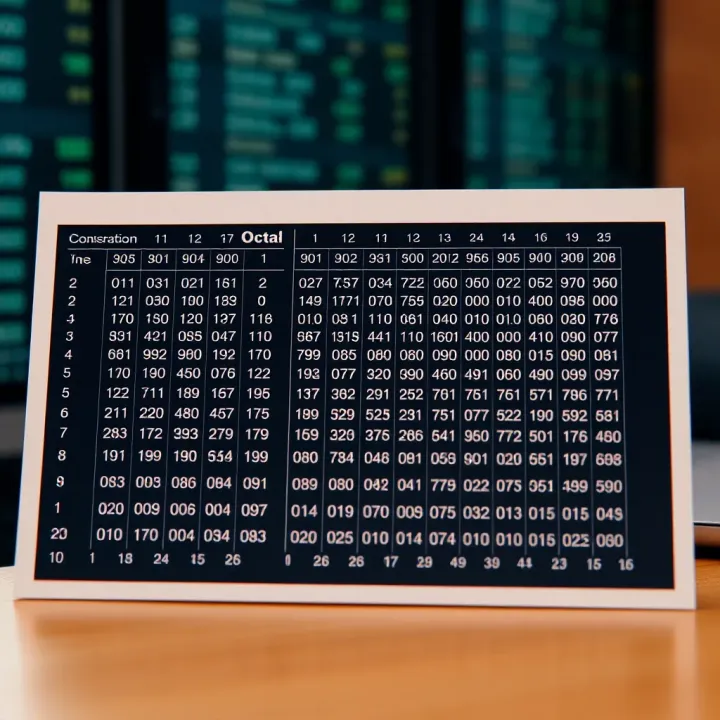
Learn to convert octal numbers to binary easily ✅ with detailed tables, practical examples, and quick tips—essential for computing enthusiasts and students.

Learn how to convert numbers to binary with clear methods, practical uses in computing & electronics, plus tips to tackle common challenges 🧮💻
Based on 11 reviews