

Understanding Binary Numbers and Their Uses
📊 Learn how binary numbers work, convert between binary & decimal, and grasp binary math with real-life computer applications in this easy guide.
Edited By
William Price
Binary numbers form the backbone of modern digital technology, including calculators. Unlike the decimal system, which uses ten digits (0-9), binary operates on just two digits: 0 and 1. These two digits, known as bits, represent the simplest form of data in electronic devices. Understanding binary is essential for grasping how calculators process numbers and carry out calculations.
Calculators use binary numbers internally because digital circuits, like transistors in chips, naturally represent two states—on and off. This two-state system corresponds perfectly with binary digits. When you press a number on a calculator, it converts that decimal input into binary for processing.
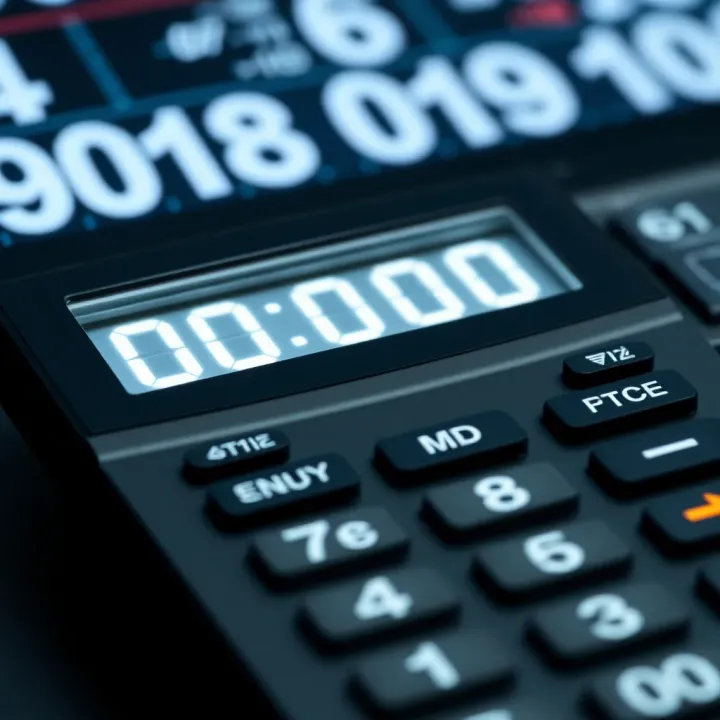
Consider the number 13 in decimal. Its binary equivalent is 1101. Each digit represents a power of two, starting from the right: 1×2^0 + 0×2^1 + 1×2^2 + 1×2^3 = 13. Calculators perform arithmetic operations like addition and multiplication by manipulating these binary digits rather than decimal figures.
Binary arithmetic simplifies calculation hardware, making devices faster and more reliable. Every operation boils down to handling zeros and ones through logic gates.
Input Conversion: When a user enters a number, the calculator translates it into binary to work with it.
Processing: Using logic circuits, the calculator performs operations like addition, subtraction, multiplication, and division on binary numbers.
Output Conversion: After calculation, the binary result is converted back into decimal to display on the screen.
This process happens almost instantaneously, enabling real-time calculations on even simple pocket calculators.
Basic Calculators: Primarily handle simple binary addition and subtraction, converting decimals to binary and vice versa.
Scientific Calculators: Use binary for more complex functions, including trigonometric and logarithmic calculations, often employing binary-coded decimals (BCD) for greater precision.
Knowing how binary works gives you a clearer picture of what happens behind the scenes each time you punch numbers into a calculator. For finance analysts and traders alike, this insight connects technology with everyday tools used for rapid computations.
Understanding the binary number system is fundamental to grasping how calculators and digital devices process information. Unlike the decimal system we use daily, binary operates on just two digits, making it simpler and more reliable for electronic circuits. This section breaks down why the binary system matters and contrasts it with the decimal system to clarify its unique features.
Binary is a base-2 number system that uses only two symbols: 0 and 1. Each digit, called a bit, represents a power of two, unlike decimal which uses ten digits (0 to 9) and powers of ten. For example, the binary number 1011 equals 1×2³ + 0×2² + 1×2¹ + 1×2⁰, which sums up to 11 in decimal. This simple structure allows digital devices to represent complex data using combinations of just two states.
Calculators, computers, and other digital electronics use binary because it translates smoothly into the two-state nature of electronic components—on and off, high voltage and low voltage. The binary system is the natural language for these devices since it requires less complexity and is less prone to error in signal processing.
The binary system aligns perfectly with digital circuits’ physical properties. Transistors inside calculators act like switches, either allowing or blocking electric current; these two states map directly to the binary digits "1" and "0". This simplicity reduces the chance of signal degradation over time, making calculations more accurate and reliable.
Moreover, binary simplifies the design of logical operations within calculators. Complex arithmetic and logical reasoning boil down to combinations of these two states, speeding up operations and consuming less power. For instance, circuits performing addition or multiplication process binary inputs rapidly, which helps smartphones and scientific calculators crunch numbers efficiently.
The decimal system is base-10, familiar to us since childhood, using digits from 0 to 9 where each place represents powers of ten. For instance, 345 means 3×10² + 4×10¹ + 5×10⁰. Conversely, binary uses only 0 and 1, where each place is a power of two. This means the same value requires more digits in binary—for example, decimal 13 is 1101 in binary.
This structural difference means binary numbers can sometimes seem longer or less intuitive to humans but are straightforward for machines to handle. The positional notation in both systems, however, follows the same principle: digit value times base to the power of position index.
Decimal dominates everyday life—money, measurements, clocks, and phone numbers all rely on base-10, as this aligns naturally with human counting habits. However, behind almost every digital device lies binary. Calculators, mobile phones, and computers convert our decimal inputs into binary internally to perform fast and precise calculations.
For example, when you input ₹500 on your smartphone calculator app, the number is transformed into binary so the device’s processor can work on it efficiently. Programmable calculators and computer processors depend exclusively on binary logic, while decimal remains a user-friendly interface. This separation keeps devices powerful yet accessible.
The binary number system may feel abstract at first but it is actually the backbone of every calculation happening inside your calculator, enabling modern finance, technology, and analysis capabilities.
Understanding these basics prepares you to explore how calculators use binary to perform arithmetic and handle complex functions.
Calculators rely heavily on the binary number system to process and present numerical data. Understanding how binary numbers work inside these devices helps clarify their operation and limitations. This section explores how binary underpins digital calculations and the key components where it plays a vital role.
The core of calculator functionality is grounded in binary logic. Calculator circuits use simple on/off electrical signals to represent binary digits (bits), where '1' indicates current flow and '0' means no flow. These bits combine to form binary numbers that represent all input values and intermediate results. Inside a calculator, logical gates such as AND, OR, and XOR handle these bits to perform arithmetic and logical operations.

For example, adding two binary digits relies on the behaviour of half-adders and full-adders built from logic gates. This approach ensures accuracy and speed, as electronic signals switch states rapidly in binary form. Without binary logic, calculators would struggle to handle data consistently and efficiently at the hardware level.
Calculators depend on binary operations because digital circuits handle only two voltage levels reliably, rather than continuous ranges. This feature reduces errors caused by noise and variations, which are common in analogue systems. Thus, calculations remain precise even in less-than-ideal conditions. Binary representation also optimises storage and processing speed, essential for handheld or low-power calculators.
Within calculators, the processor and memory are key areas that manipulate binary numbers. The processor uses a set of instructions coded in binary to perform calculations, control input/output, and manage data flow. Memory stores these instructions and intermediate results as binary data. For instance, a basic calculator’s microprocessor executes binary-coded arithmetic algorithms to deliver the final answer.
Binary storage in memory chips ensures efficient use of space and quick access times. Even small calculators leverage these components to perform multiple operations rapidly, thanks to binary encoding.
The input processing and display output components also rely on binary. When you press a key, the calculator converts this physical action into an electrical signal, registering it as a binary code. This code passes through circuits that interpret it to identify the input number or operation.
Similarly, the output display, such as an LCD, translates binary results into visible digits. Each segment of the display corresponds to specific binary signals that turn pixels on or off. This makes digits readable by the user without any intermediate interpretation in everyday use.
Binary operations inside calculators create a seamless bridge between user input and accurate results, all driven by simple on/off signals processed at lightning speed.
To sum up, binary numbers shape every step of calculator functioning—from input handling through processor calculations to output presentation. Understanding their role gives insight into why calculators work reliably even with limited hardware and power.
Performing arithmetic using binary numbers is fundamental in how calculators execute mathematical operations. Unlike everyday calculations where we use the decimal system, calculators rely on binary because their internal circuits process data in two states: 0 and 1. Understanding these binary operations gives clarity on how even the simplest calculator arrives at the answers users see.
Binary arithmetic follows rules similar to decimal but works with only two digits, 0 and 1. Addition, subtraction, multiplication, and division in binary might seem tricky at first, but they are straightforward once grasped.
Take addition in binary: 1 + 1 equals 10 (which is 2 in decimal), where the 0 is placed and 1 is carried over to the next higher bit. Subtraction often uses the concept of borrowing, much like decimal subtraction but within the binary framework. Multiplication is simpler, following repetitive addition, and division splits one binary number by another to find a quotient and remainder.
For example, adding binary numbers 1011 (11 decimal) and 1101 (13 decimal) proceeds bit by bit:
1 + 1 = 0 (carry 1)
1 + 0 + 1 (carry) = 0 (carry 1)
0 + 1 + 1 (carry) = 0 (carry 1)
1 + 1 (carry) = 0 (carry 1)
The result is 11000 in binary, which equals 24 in decimal.
These stepwise calculations help calculators translate user input into reliable answers by manipulating only zeros and ones, maintaining accuracy at the fundamental level.
Calculators internally convert all commands and numbers into binary to perform fast, efficient calculations. Their processors execute binary arithmetic using logic gates designed specifically for these operations. This system reduces complexity, ensuring minimal hardware errors and speedy results.
When you press plus or multiply, the calculator’s silicon circuits carry out thousands of binary operations almost instantly. This internal binary processing enables the fluid experience users expect from any digital calculator.
Despite their efficiency, calculators have limits in binary arithmetic. For example, very large numbers may exceed the memory capacity, leading to overflow errors where the result is too big for the internal registers. Similarly, some decimal fractions translate into repeating binary patterns, causing rounding errors during calculations.
Calculators handle these issues with error messages or approximations to prevent crashes or confusing outputs. In financial or scientific contexts, understanding these limitations helps users interpret results more carefully.
Overall, performing arithmetic with binary numbers ensures calculators deliver accurate and quick results, provided users are aware of the system's inherent constraints and rounding behaviours.
Converting between binary and decimal numbers plays a vital role in understanding how calculators work behind the scenes. While humans generally rely on the decimal system for daily calculations, calculators operate using binary numbers because they align with digital electronics. Knowing how to switch between these systems helps professionals like investors, traders, and finance analysts interpret raw computational data and relate it to familiar decimal values.
This method is the straightforward way to convert binary numbers into decimal. Each binary digit (bit) represents a power of two, depending on its position from the right, starting with 2⁰. You multiply each bit by its positional value and then sum up these products to get the decimal equivalent. This process matches how calculators interpret binary internally to present decimal results on their displays.
For example, take the binary number 1011. Assign positions from right to left as 0 to 3. Then calculate:
(1 × 2³) + (0 × 2²) + (1 × 2¹) + (1 × 2⁰) = 8 + 0 + 2 + 1 = 11 in decimal.
This method is especially useful for professionals needing to verify or reverse-engineer calculator outputs.
Breaking down the conversion with concrete steps simplifies learning. Let’s convert binary 11010 to decimal:
Start from the right: position 0 (value = 0), multiply by 2⁰ = 0.
Position 1: 1 × 2¹ = 2.
Position 2: 0 × 2² = 0.
Position 3: 1 × 2³ = 8.
Position 4: 1 × 2⁴ = 16.
Add these: 16 + 8 + 0 + 2 + 0 = 26 decimal.
Going step-by-step like this clarifies the process and helps spot errors or unusual values, which is important when handling calculator outputs during financial analysis or technical work.
One common way to convert a decimal number into binary is by repeatedly dividing the number by two and noting down the remainders. The remainders collected in reverse order give the binary equivalent. This technique is widely used because it’s simple and works regardless of the decimal number’s size.
To convert decimal 19 to binary:
19 ÷ 2 = 9 remainder 1
9 ÷ 2 = 4 remainder 1
4 ÷ 2 = 2 remainder 0
2 ÷ 2 = 1 remainder 0
1 ÷ 2 = 0 remainder 1
Writing remainders from bottom to top gives 10011 in binary.
This method is helpful when you need to prepare inputs for low-level programming or understand how calculators convert entered decimal figures into binary internally.
While manually converting numbers can aid comprehension, practical use cases often involve electronic tools or calculator features. Some tips to bear in mind:
For large numbers, use calculator functions or computer software to avoid errors.
Use binary conversion primarily when working with digital systems or programming tasks.
Remember leading zeros in binary don’t affect the value but are useful for alignment in fixed-bit systems (e.g., 8-bit, 16-bit).
Being comfortable with these conversions equips professionals to bridge the gap between human-readable numbers and machine-friendly formats effectively.
Understanding these conversion techniques sharpens your grasp of how calculators process numbers, ensuring better insight into their operations and results. This knowledge proves valuable in fields where precise calculation and data interpretation count, such as finance, engineering, and computer science.
Calculators, regardless of their complexity, rely on binary processing at their core. Understanding how different types of calculators handle binary operations sheds light on their capabilities and limitations. This section explores basic as well as scientific and programmable calculators, highlighting how each uses binary numbers in processing.
Simple calculators convert decimal inputs into binary internally to perform arithmetic operations. While you enter numbers in the familiar decimal form, the calculator’s processor translates these into binary signals, performing addition, subtraction, multiplication, and division through binary logic gates. This way, even a basic ₹50 calculator applies the same fundamental binary processes behind the scenes.
Despite their simplicity, basic calculators often support only a fixed range for numbers—usually small integers and decimals with limited decimal places. They lack the ability to handle complex calculations or large numbers efficiently. Their binary processing is straightforward, optimised for everyday tasks like billing or quick maths but falls short when it comes to functions beyond simple arithmetic.
Basic calculators commonly feature simple keypads, limited display digits, and no memory for storing intermediate calculations. Since their binary arithmetic is fixed, they cannot process advanced operations such as trigonometric functions, logarithms, or statistical calculations.
Furthermore, their internal binary systems may face rounding errors, especially with decimal fractions, due to limited precision. This limitation can lead to minor inaccuracies, which, though negligible for daily chores, pose problems in professional environments needing exact calculations.
Scientific and programmable calculators take binary processing several steps ahead. They use complex binary algorithms to support functions like sine, cosine, exponential calculations, and more. These calculators convert inputs into binary and run them through algorithmic patterns to deliver precise results quickly, making them favourites among engineers, traders, and students.
Programmable calculators extend this capability by allowing users to store customised routines or scripts. These routines process binary at a deeper level, enabling repeated complex calculations with reduced manual input. For example, financial analysts might program calculators to run compound interest formulas automatically, increasing efficiency while cutting down errors.
These calculators rely heavily on binary-based algorithms that manage sequences of operations rather than just simple arithmetic. The embedded firmware uses binary instructions to break down complex tasks into smaller steps, handle memory, and manage error checking.
Importantly, this processing enables calculators to deal with floating-point numbers, symbolic computations, and iterative methods that basic calculators can’t manage. This internal binary complexity allows scientific and programmable calculators to bridge the gap between handheld devices and more powerful computers, offering advanced computation on the go.
Whether you're using a basic calculator at a market stall or a programmable scientific model for financial analysis, understanding how binary processing varies helps you appreciate what the device can reliably deliver.
📊 Learn how binary numbers work, convert between binary & decimal, and grasp binary math with real-life computer applications in this easy guide.

Learn how to multiply binary numbers easily with step-by-step examples, shortcuts, and troubleshooting tips. Perfect for students & computing enthusiasts! 🧮💻

Learn how to convert decimal numbers to binary with easy steps, tips, and techniques 🔢💡 Understand binary basics and common challenges clearly!

🔢 Discover how online binary calculators work and their practical uses for students, programmers & engineers. Learn features, benefits & popular tools for effective use.
Based on 9 reviews