
Octal to Binary Conversion Explained with Examples
Learn how to convert octal to binary with easy examples and clear steps 🧮. Understand number systems, avoid pitfalls, and apply it in digital work 📊.
Edited By
Henry Collins
Converting decimal numbers to binary is a fundamental skill in programming, especially in languages like C where low-level data manipulation is common. Understanding this conversion helps you grasp how computers handle numbers internally, which is crucial for tasks ranging from embedded system programming to algorithm optimisations.
Decimal is the base-10 number system we use daily, consisting of digits 0 to 9. Binary, on the other hand, is base-2 and uses only 0 and 1. Each binary digit, or bit, represents an increasing power of two, starting from the rightmost bit. For example, the decimal number 13 translates to binary as 1101 (1×8 + 1×4 + 0×2 + 1×1).

Writing a C program to perform this conversion helps solidify understanding of loops, division, and modulus operations. The primary logic involves dividing the decimal number repeatedly by 2 and noting down the remainders, which form the binary digits when read in reverse order.
This article breaks down the process step-by-step, starting with the basic concepts and then moving to practical code examples. You will also learn tips to optimise the program for performance and test it against various inputs to ensure correctness.
Mastering this conversion enables you to improve programming logic skills and build a foundation for more complex number system operations.
Next, we will explore the code structure and logic to write an efficient decimal to binary converter in C.
Understanding number systems is fundamental when writing programs that manipulate numerical data. In the context of converting decimal to binary in C, grasping how these systems work aids in creating efficient and accurate code. It also helps you debug, optimise, and extend your program to handle broader applications like bitwise operations.
The decimal system, also known as base-10, is the number system we use in daily life. It uses ten digits from 0 to 9, with each digit’s place value increasing by powers of 10 as we move left. For example, the number 456 means 4×10² + 5×10¹ + 6×10⁰. Its familiarity makes it the default way we represent and understand numbers.
Binary, or base-2, uses only two digits: 0 and 1. Each position represents powers of 2, starting from 2⁰ on the right. For instance, the binary number 1011 corresponds to 1×2³ + 0×2² + 1×2¹ + 1×2⁰, which equals 11 in decimal. This system is the bedrock of digital computing since everything inside a computer ultimately boils down to these two states representing off/on or false/true.
The main distinction lies in their base: decimal is base-10, binary is base-2. Decimal numbers are easier for humans to read, while binary numbers are easier for machines to process. Converting between these systems bridges human understanding and machine operation. In programming, translating decimal inputs to binary code allows a program to interact with hardware or perform low-level data manipulations.
Digital circuits and processors rely on binary signals; hence, all numeric data must be represented in binary at hardware level. Writing C programs that convert decimal to binary illustrates this foundational concept, showing how software interprets and handles number formats that machines understand directly.
This conversion finds use in debugging, data encoding, checksum calculations, and implementing algorithms that require bitwise operations. For example, a finance analyst might write a small C program to convert transaction amounts into binary to understand how fixed-point binary arithmetic might affect precision in financial calculations.
Since microprocessors operate using bits, converting decimal numbers into binary becomes essential when programming for embedded systems or when communicating directly with hardware components. Understanding this conversion deepens your grasp of how data travels from a user interface to the silicon chips performing the actual processing.
Knowing how to switch between decimal and binary is not just academic; it connects programming logic to real-world hardware behaviour, making your C programs more practical and powerful.
Planning your program structure is a key step before writing any code. It helps you clearly define the tasks your program must perform and arrange them logically. For a decimal-to-binary converter in C, this means breaking down the problem into manageable parts like the core conversion logic, handling user input, and output display. Without this step, you might end up with confusing code that is hard to debug or explain.
A well-planned structure also makes your code easier to maintain and improve. Take for example storing binary digits during conversion: deciding early how to capture and handle these digits simplifies your loop design and output formatting later.
Using division and remainder method
This classic approach involves repeatedly dividing the decimal number by two and noting the remainder each time. The remainder gives you the individual bits in binary—zero or one. For instance, converting decimal 13 to binary, you divide 13 by 2, getting quotient 6 and remainder 1. Repeat this till the quotient is zero. These remainder bits collected in reverse form the binary equivalent.
This method is practical because it directly applies to the number’s base-2 representation without needing complex operations. It makes your code straightforward and easy to follow, even for beginners.

Storing binary digits
As you generate remainders, you need to store them temporarily since the binary number is formed in reverse order. Using an array or a stack is common here. For example, if you’re converting 13, successive bits 1, 0, 1, 1 (in that order) are stored first. Later, they will be reversed to form 1101.
Without storing these bits properly, printing the binary number becomes tricky. This storage step ensures you keep the sequence intact for correct output.
Reversing the output
Since the binary digits are collected from least significant bit to most significant, you must reverse their order before printing. This reversal gives the proper binary representation understood by most readers and systems.
Reversing can be done by iterating over the stored bits backward or using a data structure like a stack which pops bits in the correct order. Forgetting this step would display the binary digits backwards, causing confusion or incorrect results.
Reading decimal number from user
Getting input reliably is crucial. Using scanf in C allows you to read an integer from the user efficiently. You must check this input to make sure the user enters a correct decimal number—non-numeric input or negative numbers should be handled gracefully.
In a practical scenario, validating input prevents program crashes or wrong conversions. You might prompt the user again if invalid data is entered or provide a clear error message.
Displaying binary result clearly
After conversion, printing the binary number in a clean, readable format helps users confirm the output easily. For example, printing Binary equivalent: 1101 makes it clear and concise.
You may also format output to handle cases like zero (which in binary is just 0) or ensure no extra spaces confuse the viewer. Clear output improves user experience, especially for learners or in educational tools.
Planning the structure before typing code saves time and avoids costly mistakes. Divide your tasks logically, store your data properly, and handle input-output with care for a smooth user journey and accurate results.
Writing the C code for decimal to binary conversion is the heart of this tutorial. It puts theory into practice by transforming a base-10 number into its binary form, which is essential for understanding computer operations and working with low-level data. Focusing on this step gives you hands-on experience with basic C programming concepts such as variables, loops, and output formatting.
The first step in writing such a program is declaring the necessary variables. You need an integer to hold the decimal input from the user. Additionally, an array or another structure to store binary digits during the conversion is required. Often, we declare an index variable to keep track of our position as we fill the binary representation. For example:
c int decimalNumber, binaryArray[32], index = 0;
The size 32 is chosen because integers typically fit into 32 bits, ensuring your code handles most cases in practice without overflow.

#### Looping for conversion

The core logic lies in repeatedly dividing the decimal number by 2 and storing the remainders (0 or 1). This loop continues until the decimal value reduces to zero. Each remainder represents a binary digit, but since the remainder is obtained starting from the least significant bit, you will fill the array backward. For instance:

```c
while(decimalNumber > 0)
    binaryArray[index] = decimalNumber % 2;
    decimalNumber /= 2;
    index++;
This loop ensures each binary digit is stored properly. It’s important to remember that if the number is zero, you handle it separately to avoid issues.
Once the binary digits are stored, printing them in the correct order is key. Since you've saved bits from least significant to most significant, printing the array in reverse order reconstructs the number correctly. You'll typically use another loop:
for(int i = index - 1; i >= 0; i--)
    printf("%d", binaryArray[i]);
This simple step is crucial for the output to make sense when viewed by the user.
A complete sample program demonstrates these elements working together. Including comments helps clarify each step — from reading input, performing the conversion, to displaying the binary number. This helps you verify your understanding and makes adapting the program to your needs easier.
Breaking down the full program part by part reveals the rationale behind each code block. For example, you learn why certain variables are needed, how the loop logic follows binary maths, and how printing in reverse works. This explanation is invaluable for students and professionals who want not only to run the program but to grasp its inner workings thoroughly.
Writing the actual C code demystifies the process behind the scenes. By tackling each segment carefully, you build a strong foundation for more complex programming tasks involving number systems and bitwise operations.
Understanding these code basics equips you well to handle related programming challenges, such as working with hexadecimal numbers or optimising code for embedded systems. Take your time to study the example and experiment with inputs—it will deepen your grasp of both C programming and binary numbers.
Testing your C program that converts decimal numbers to binary is not just a good practice, it’s necessary to ensure the accuracy and reliability of your code. Validation helps catch logical or input-related errors early, saving time and preventing unexpected results when used in real-world applications. For instance, if your code misrepresents decimal 10 as binary 101 instead of 1010, it could cause cascading errors in programs relying on correct binary data.
Testing with both small and large decimal numbers confirms that your program handles the full range it is intended to support. Small numbers like 2 or 5 are straightforward and verify the basic logic of the conversion. Large numbers such as 65,535 (maximum for 16-bit integers) or even bigger, if your program is designed to handle them, test efficiency and correctness under greater computational stress. For example, converting 5000 to binary (1001110001000) evaluates how well your program manages longer output strings.
Zero and one may seem trivial but are critical edge cases in number conversion programs. Zero, especially, can break code that assumes at least one division or loop iteration. Your program must print binary "0" for decimal zero, not a blank or error. Similarly, handling one tests if the program can correctly exit the conversion loop quickly. These edge cases prevent subtle bugs that might occur with other values.
Users may enter non-numeric or negative values unintentionally. Your program should detect invalid inputs and respond gracefully, for example, by prompting the user again or displaying a clear error message. This avoids unexpected crashes or nonsensical output. Implementing input validation ensures the user experience stays smooth and predictable, a must-have when deploying the program beyond personal use.
If the binary output is incorrect, it usually traces back to how division, remainder extraction, or bit storage is handled. For instance, mixing up the order when storing binary digits might print a reversed result. Carefully revisiting your loop conditions and the method of appending bits can root out such errors. Debug with simple, known numbers and compare outputs to manual conversions to locate faults.
Clear presentation of binary output matters, especially in professional or academic contexts. Avoid clutter by formatting the binary string neatly, for instance, grouping bits in four or eight for readability (e.g., 1101 0110). Also, make sure leading zeros are displayed or omitted consistently based on your program's goal. Proper formatting simplifies verifying outputs and improves the user's understanding.
Testing thoroughly is not just about finding bugs, but ensuring your program works correctly across all scenarios, making it dependable for your audience.
By following these testing and troubleshooting steps, you'll develop a robust C program that confidently converts decimal numbers to binary, ready to be implemented or extended further.
Enhancing the decimal to binary conversion program helps to make it more flexible, efficient, and easier to maintain. This section explores practical ways to improve the basic logic, from adopting recursive techniques to utilising existing libraries. These alternatives broaden the scope of your program and sometimes simplify the code, which can be especially useful in complex or embedded systems.
The recursive method for decimal to binary conversion breaks down the problem into smaller parts by continually dividing the number by two until it reaches zero. Unlike the iterative approach, this technique naturally reverses the sequence of binary digits as the recursive calls return, eliminating the need to reverse the array or string afterward.
Using recursion is practical when writing cleaner code or when the function itself needs to be compact. However, keep in mind that recursion can lead to higher memory use due to function call stacking, which might not be the best for very large decimal numbers on systems with limited resources.
For example, a recursive C function calls itself with the decimal number divided by two until the base case (number equals zero) is reached, and then it prints the remainder during the return phase. This straightforward approach neatly handles the conversion in just a few lines.
Standard C libraries do not offer a direct function for decimal to binary conversion, so programmers often create their own routines as seen here. However, some libraries like math.h provide helpful functions such as pow() or bitwise operators to assist in related calculations. The absence of a dedicated function means understanding the underlying logic is crucial.
Third-party libraries or tools sometimes provide more advanced number base conversions or utilities within larger frameworks. These could be practical when working on bigger projects requiring conversions among many bases, but bringing in external dependencies solely for decimal to binary conversion might be excessive and add complexity.
Binary conversion forms the foundation for bitwise operations, which manipulate individual bits of data. Knowing how to convert decimals to binary helps in understanding bitwise AND, OR, XOR, and shifts—essential tools in fields ranging from cryptography to low-level device control.
In embedded programming, binary number representation is key for managing microcontroller registers, setting or clearing flags, or reading sensor data. Efficient decimal to binary conversion aids in debugging and developing firmware where direct hardware interaction is routine.
Improving conversion methods not only boosts your program’s robustness but also deepens your grasp of how computers handle data at the most basic level.
By exploring recursive solutions, leveraging libraries where feasible, and applying conversions in bitwise and embedded tasks, you can extend the usefulness of this fundamental programming exercise.
Learn how to convert octal to binary with easy examples and clear steps 🧮. Understand number systems, avoid pitfalls, and apply it in digital work 📊.

Learn how to convert decimal numbers to binary in C programming with easy examples, tips for optimization, and debugging to master binary representation 📊💻
Learn how to easily convert decimal to binary online with step-by-step tips, common challenges, and accuracy advice. Perfect for students and pros! 🧮💻
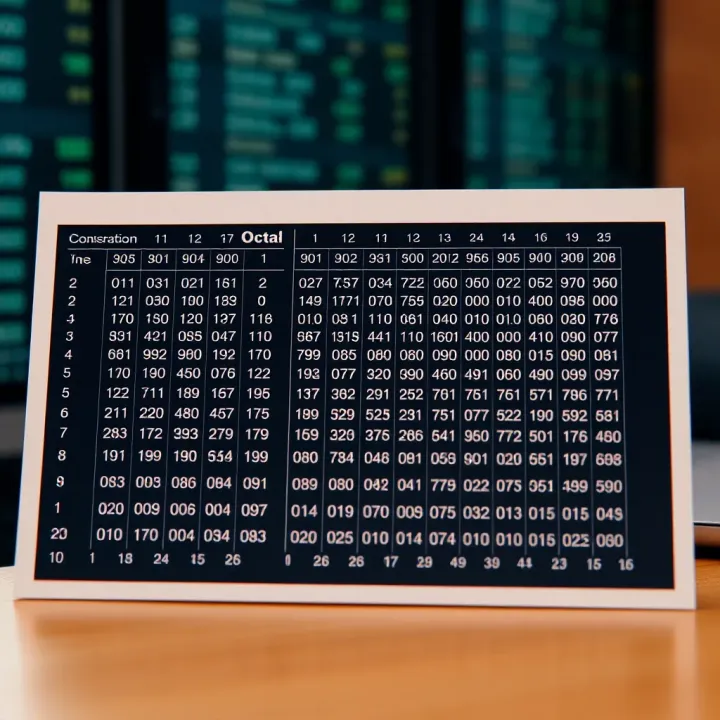
Learn to convert octal numbers to binary easily ✅ with detailed tables, practical examples, and quick tips—essential for computing enthusiasts and students.
Based on 12 reviews