

Binary to Decimal Conversion Explained
Learn how to convert binary numbers to decimal with easy methods, key principles, and examples 📊. Understand challenges and real-world applications in computing 🖥️.
Edited By
Oliver Mitchell
Binary to decimal conversion is a fundamental skill across fields like computer science, finance analytics, and data management. At its core, it means translating a number expressed in the base-2 system (binary) into the more common base-10 (decimal) system. For professionals and students involved in programming, embedded systems, or trading algorithms, understanding this process adds clarity to how machines handle data.
The binary system uses only two digits, 0 and 1, to represent numbers, unlike decimal which uses ten digits, 0 through 9. Every binary digit (bit) carries a specific weight depending on its position, doubling as you move leftwards. For example, the binary number 1011 represents:

1 × 2³ (8)
0 × 2² (0)
1 × 2¹ (2)
1 × 2⁰ (1)
Adding these gives 8 + 0 + 2 + 1 = 11 in decimal.
Remember, careful placement of bits and their corresponding powers of two makes binary numbers straightforward to convert once you grasp the positional value.
Manual conversion requires patience, especially for long binary strings. This is where online conversion tools come into play. They offer quick, error-free translation from binary to decimal with minimal effort from your side. Traders and analysts often rely on such tools for real-time data interpretation and algorithm checks, making their jobs faster and more precise.
Some practical benefits of using online converters include:
Speed: Instant calculations eliminating manual errors
Accessibility: Use on desktop or mobile without software installation
Education: Visual step-by-step breakdowns help deepen understanding
Picking the right tool means checking for accuracy, interface simplicity, and added features like batch conversions or explanations of steps. Whether you're a student tackling computer science assignments or a professional analysing sensor data, mastering this skill with the help of digital aids can save hours.
In the next sections, we'll cover exact steps for manual conversion, recommendations for reliable online converters, and tips to maximise your efficiency. Learning this conversion method itself is accessible, and with online tools, applying it becomes even easier.
Understanding the binary and decimal number systems forms the foundation for grasping how numbers work in different contexts, especially when converting between them. For professionals, students, and traders alike, this knowledge helps decode computing processes and supports better decision-making with digital data. While decimal numbers dominate daily life, binaries run the core of all digital technology, including financial software and trading algorithms.
Understanding binary digits (bits): Binary numbers consist of only two digits — 0 and 1, known as bits. Each bit represents a state of switching — either off (0) or on (1). This simplicity is why computers use binary internally; electronic circuits only need to detect two states, which makes data storage and processing reliable and fast. For example, a single byte in computing holds eight bits, allowing representation of values from 0 to 255 in decimal terms.
How numbers are represented in binary: Binary numbers represent quantities using place values based on powers of two. Each position from right to left signifies 2 raised to increasing powers (2^0, 2^1, 2^2, etc). For instance, the binary number 1011 translates to (1×8) + (0×4) + (1×2) + (1×1) = 11 in decimal. This positional system is crucial for converting to decimal accurately and is the principle behind many computing operations used in programming and data handling.
Decimal digits and place values: Our common number system, decimal, uses ten digits (0 to 9). The place value here relies on powers of ten, where moving left increases place value by tenfold. For example, the number 345 means (3×100) + (4×10) + (5×1). This system's familiarity makes decimal the default for money, measurements, and everyday counting.
Everyday use of decimals: Decimal numbers go beyond integers, incorporating fractional parts separated by a decimal point (e.g., 45.67). They are essential in financial transactions where precision is needed, such as calculating interest or stock prices. In India, currency amounts like ₹1,234.56 show how decimals indicate paise, providing clear monetary values without confusion.
Grasping these two systems is key not only for manual conversions but also for leveraging online binary to decimal tools effectively, ensuring smoother workflows, especially in finance and technology sectors.
Understanding the manual process of converting binary numbers to decimal is essential, especially for professionals and students who want a solid grasp of how digital systems work under the hood. While online tools provide quick results, knowing the method itself helps in error-checking and understanding machine-level data representation.
The first step involves assigning place values to each bit in the binary number. Unlike the decimal system where the place values increase by powers of ten, binary place values increase by powers of two, starting from the rightmost bit (least significant bit). For example, in the binary number 1011, the place values from right to left are 2⁰, 2¹, 2², and 2³, which correspond to 1, 2, 4, and 8 respectively. This systematic assignment is the foundation for converting binary to decimal manually because each bit’s position determines its weight.

Once place values are assigned, multiply each binary digit (bit) by its corresponding power of two. Since binary digits are only 0 or 1, this multiplication either keeps the place value (if the bit is 1) or becomes zero (if the bit is 0). This step simplifies the process because you only add the place values where the bit is set to one. Taking the earlier example 1011, you multiply: 1×8 + 0×4 + 1×2 + 1×1.
The final step involves adding all the products from the previous multiplication step. For 1011, this addition is 8 + 0 + 2 + 1, which equals 11 in decimal. This sum represents the binary number’s true value in the decimal system. Adding these values accurately is critical, as missing a place value or miscalculating a single multiplication will yield an incorrect decimal number.
Let’s consider a simple binary number: 1101. Assigning place values from right to left, you get 1 (2⁰), 2 (2¹), 4 (2²), and 8 (2³). Multiply the bits by their place values: (1×8) + (1×4) + (0×2) + (1×1) = 8 + 4 + 0 + 1 = 13. This quick calculation is practical for everyday use when handling small binary sequences, especially during exams or basic programming tasks.
For longer binary numbers, the process is the same but involves more bits. For instance, 1011001 has bits at seven positions. Assign place values as powers of two from 2⁰ (rightmost) to 2⁶ (leftmost). Multiplying and adding only the bits with value 1: (1×64) + (0×32) + (1×16) + (1×8) + (0×4) + (0×2) + (1×1) = 64 + 0 + 16 + 8 + 0 + 0 + 1 = 89. Practically, manual conversion of longer sequences can get tedious but it's handy when verifying values in low-level computing or troubleshooting software bugs.
Knowing how to convert binary to decimal manually builds a strong conceptual base and helps validate computer-generated results, even while benefiting from online conversion tools.
This section provides a clear, stepwise understanding of manual binary to decimal conversion, essential for finance analysts analysing digital data, students preparing for computer science exams, and professionals in technology sectors.
Online tools for converting binary to decimal numbers offer several practical benefits, especially for professionals and students who frequently work with number systems. Their convenience and reliability make these converters valuable for avoiding the typical challenges of manual calculations. Let's explore the key advantages in detail.
Instant conversion results make online converters a real time-saver. Instead of spending minutes or longer on manual math, you get the decimal equivalent immediately after entering the binary number. This feature is handy when analyzing data streams, debugging code, or performing quick number checks.
For example, a trader analysing machine data for algorithmic trading strategies may need to convert numerous binary sequences swiftly. Waiting for manual calculation would slow down decision-making. Online converters ensure no time is wasted.
No need for manual calculations means you avoid the hassle of assigning place values and performing repeated multiplications by powers of two. This ease lowers the barrier for those still learning the process, like finance students or beginner coders.
Also, it frees up mental bandwidth in professional settings where detailed accuracy is crucial, such as software debugging or computational finance. Instead of focusing on tedious arithmetic, users can concentrate on interpreting the results and applying insights.
Avoiding human errors in calculations is one of the greatest advantages these tools provide. Manual conversion involves several steps prone to mistakes — misplacing powers, adding wrongly, or missing digits. Even one slip can lead to a wrong decimal result, which can be costly in financial algorithms or programming.
An example is a finance analyst manually converting a binary-coded decimal (BCD) and making a small error in addition. This could distort risk assessment models. Using an online converter mitigates such risks effectively.
Reliable tools for various user levels mean these converters cater both to newcomers and experts. Beginners find the simple interfaces easy to navigate, while advanced users benefit from features like batch conversion or support for extended binary sequences.
Many converters also provide explanations or stepwise breakdowns for educational purposes. This versatility suits professionals, students, and educators alike, allowing seamless integration into diverse workflows.
Overall, online binary to decimal converters combine speed, accuracy, and user-friendliness, making them indispensable for anyone dealing with digital numbers regularly. They save effort and reduce mistakes, while supporting a wide range of practical applications from education to finance and technology.
Finding the right online binary to decimal converter matters because it directly impacts how quickly and accurately you can get results. Whether you are a student working on assignments, a finance analyst dealing with binary-coded data, or a developer debugging code, the convenience and reliability of your tool are key. The right converter should not only produce correct values but also save your time and reduce errors commonly seen in manual conversion.
A well-designed, user-friendly interface is essential for smooth experience. When the interface is clear, with straightforward fields for input and output, even beginners can use the tool confidently without confusion. For example, an interface that highlights errors like invalid characters in binary input saves frustration. Simple design with visible buttons and clear instructions makes repeated conversions easier, especially if you are juggling multiple tasks.
Good converters accept various binary formats, such as spaces, hyphen-separated groups, or continuous strings. This flexibility is useful when dealing with code snippets or data copied from different sources. For instance, some tools allow entering binary numbers with spaces (e.g., "1010 1101") or without spaces (“10101101”) and still convert accurately. This feature prevents manual pre-formatting, keeping the process quick and reduces chance of errors.
A converter offering both binary-to-decimal and decimal-to-binary functions adds extra value. Such versatility helps you cross-check results and understand conversions better. This is especially useful for finance professionals who might need to translate decimal figures into binary for specific algorithms or low-level data work. The ability to toggle between conversions within one tool saves time instead of using multiple websites or software.
There are plenty of free converters available, offering decent speed and accuracy. However, paid tools might include advanced features like bulk conversions, offline access, or better customer support. For example, a paid tool could integrate with Excel or development environments, which benefits professionals handling large datasets or coding projects. Depending on your frequency of use and feature needs, choosing the right balance between free and paid versions makes a difference.
With increasing reliance on smartphones, mobile-friendly converters are vital. These tools work smoothly on small screens and often come with responsive layouts or apps. For students or traders on the move, such converters make quick checks possible without opening a laptop. Think of an investor in Mumbai using a mobile converter during market hours for rapid binary data checks versus struggling with a desktop site designed only for larger screens.
Some converters are built into educational portals or e-learning platforms popular in India, like BYJU'S or Unacademy. This integration allows students to directly practice conversions alongside lessons, enhancing learning. Besides, platforms with quizzes or explanatory notes linked to converters offer a more comprehensive understanding than standalone tools. For exam preparation or skill upgrades, such embedded options offer convenience and additional resources.
Choosing the right online binary to decimal tool depends on your specific needs—ease of use, format flexibility, extra features, and platform accessibility. Selecting thoughtfully makes number conversions less of a chore and more of a calculated step towards accurate data handling.
Binary to decimal conversion is more than just an academic exercise; it finds practical use in fields like computing, software development, and education. Understanding this process helps professionals and students interpret machine-level data, debug software effectively, and prepare for technical exams where such knowledge is essential.
Binary numbers underpin how computers operate, as all data ultimately breaks down into bits. Reading machine code and memory addresses relies heavily on converting binary to decimal. While machine code itself is in binary, developers often view memory locations in decimal for easier comprehension. For example, an address like 110010 in binary converts to decimal 50, allowing programmers to quickly locate or reference the right memory segment during coding or system analysis.
When debugging, converting binary output to decimal helps pinpoint errors in programs. Many debugging tools display data in binary, but translating these into decimal values simplifies interpretation. Consider a scenario where a processor register shows a binary pattern; quickly knowing its decimal equivalent can indicate whether the value matches expected results or points to issues. This ease accelerates testing, bug fixing, and streamlines software development, particularly in embedded systems and low-level programming.
Grasping binary to decimal conversion is a cornerstone in computer science education. It builds an intuitive understanding of how digital systems encode information. Students learning about data representation gain insights into how computers process instructions. This foundational knowledge supports more advanced topics like networking, encryption, and algorithms.
Moreover, knowledge of binary conversions is vital for competitive exams such as those for engineering entrance tests (JEE), testing agencies like NTA, or technical roles in PSUs and government departments. These exams often include questions on number systems and conversions to assess analytical skills. Practising binary to decimal conversions using online tools or manual methods equips aspirants with confidence and speed needed for tackling such questions accurately under timed conditions.
Knowing how to convert binary numbers to decimals helps bridge the gap between raw computer data and meaningful information, making it an essential skill for learners and professionals alike.
In summary, binary to decimal conversion applies directly to reading machine data, debugging software issues, strengthening computer science fundamentals, and preparing for competitive exams, providing tangible benefits in real-life scenarios.
Learn how to convert binary numbers to decimal with easy methods, key principles, and examples 📊. Understand challenges and real-world applications in computing 🖥️.
Learn how to convert decimal numbers into binary with clear steps, examples, and practical uses in computing 💻. Perfect for students and tech enthusiasts.
Learn how binary numbers work and convert them to decimal easily. This guide offers clear steps, examples, and explains their role in everyday electronics 💻🔢.
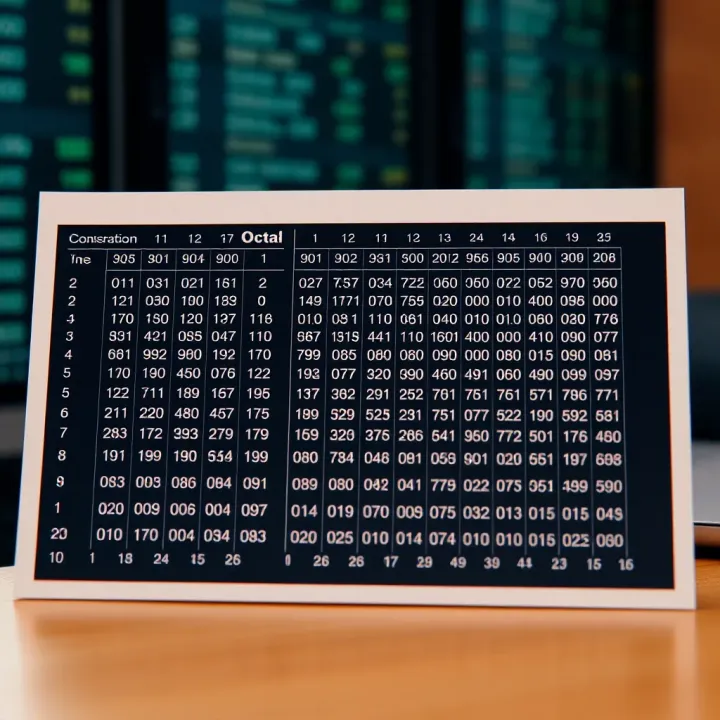
Learn to convert octal numbers to binary easily ✅ with detailed tables, practical examples, and quick tips—essential for computing enthusiasts and students.
Based on 5 reviews